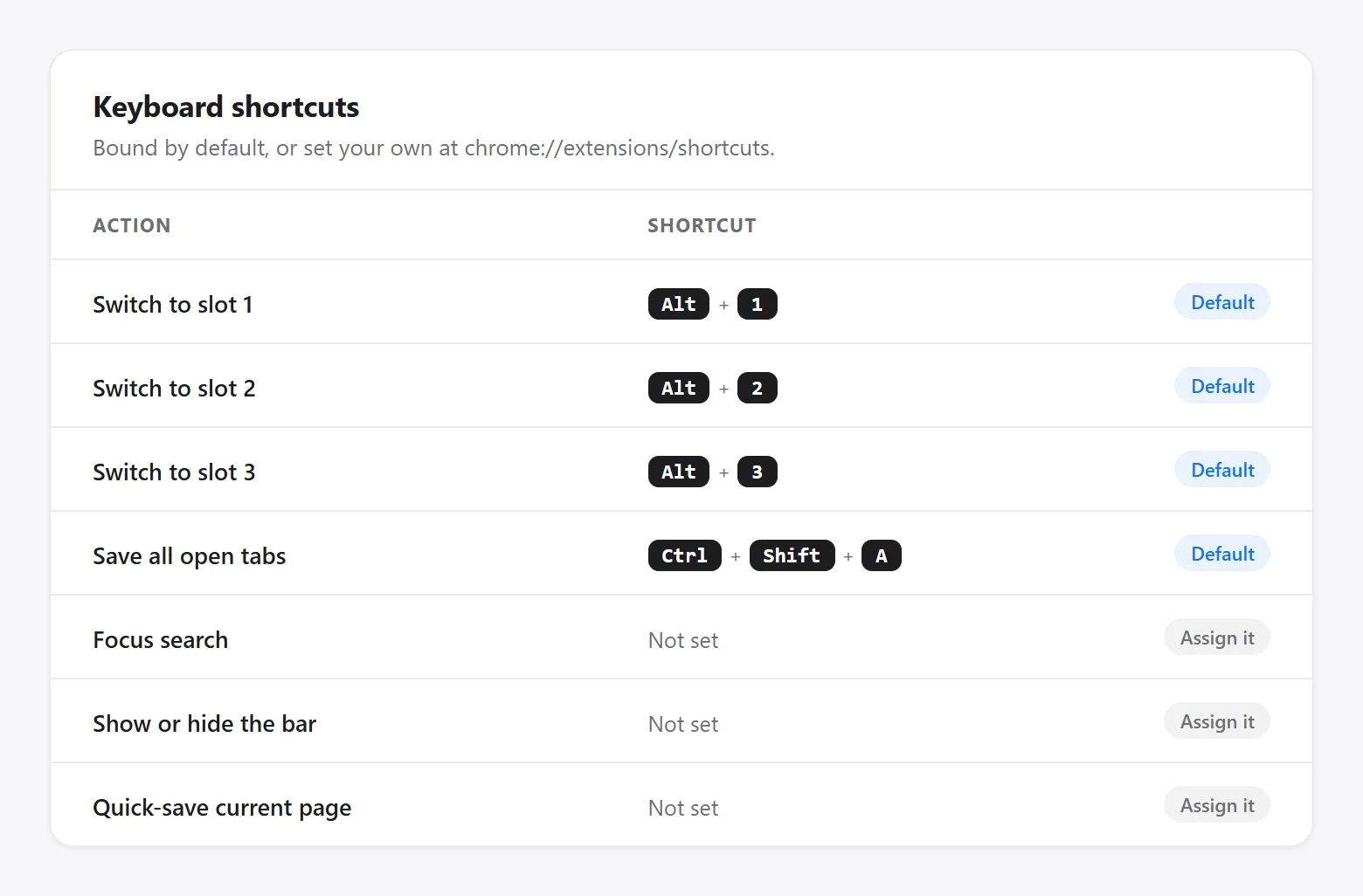
Four shortcuts come bound the moment you install the extension. Three more exist but need a key combination of your own choosing, because Chrome reserves very few default combinations for extensions and Second Bookmark Bar would rather leave the choice to you than fight another extension for the same keys.
Bound by default
| Action | Shortcut |
|---|---|
| Switch to slot 1 | Alt+1 |
| Switch to slot 2 | Alt+2 |
| Switch to slot 3 | Alt+3 |
| Save all open tabs | Ctrl+Shift+A (Cmd+Shift+A on Mac) |
Set your own
These three do nothing until you assign a key combination at chrome://extensions/shortcuts:
- Focus search — jumps straight to the bar’s search box from anywhere on the page.
- Show or hide the bar — toggles the whole bar off and back on.
- Quick-save current page — saves the page you’re on to the active folder without opening any panel.
To set one: open chrome://extensions/shortcuts, find Second Bookmark Bar, click the box next to the shortcut you want, and press the key combination.
Quick hide is separate
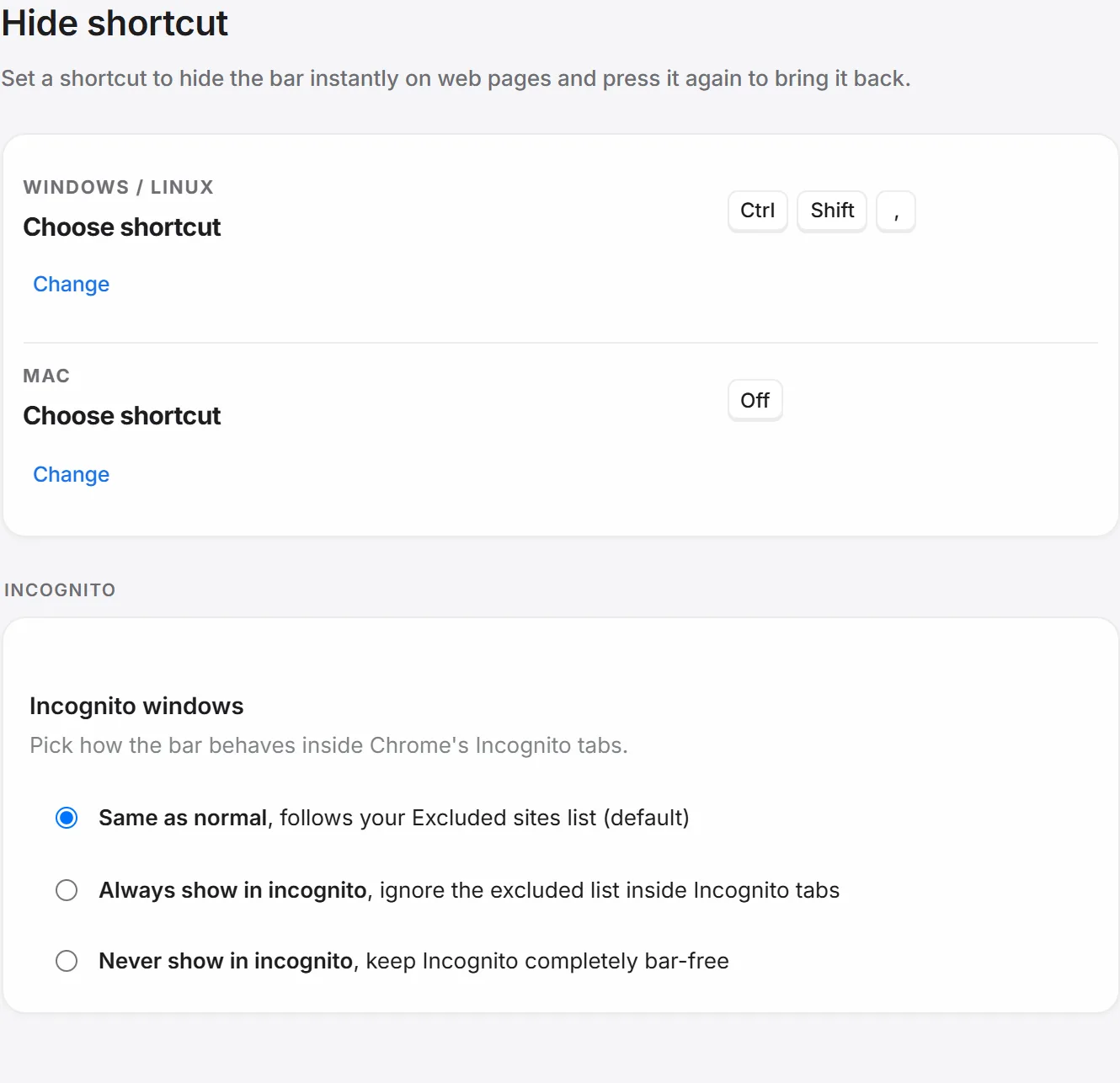
There’s a fourth, different kind of shortcut just for making the bar disappear instantly during a screen share — the Quick hide shortcut, chosen from a fixed list of presets inside Settings → Hide shortcut, separately for Windows/Linux and macOS. It’s off by default. See Hide the bar on some sites for the rest of the ways to keep the bar out of the way.
Good to know
Chrome’s own bookmarks bar already uses Ctrl+Shift+B — that toggles Chrome’s bar, not this one. The two are unrelated and can both be visible, or both hidden, independently.