Bar still missing in Chrome or Edge? Update to version 3.1.127 or later to fix it — your browser usually does this on its own, but you can force it now.Bar still missing? Update to 3.1.127 or later to fix it. How to update now

Second Bookmark Bar

Play all, video tags, and playlists

Video panel with a tag filter row reading All tags and Unwatched, and a Play cluster above the cards.

The video panel isn’t only a grid to click through one at a time — it can play a whole folder in order, and it has its own tagging system entirely separate from YouTube’s.
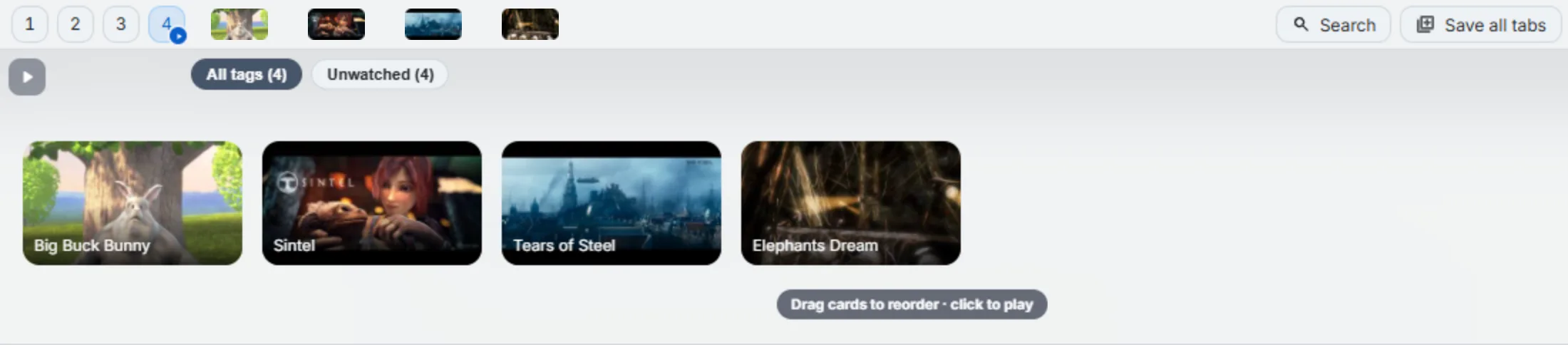
Video panel with tag filter chips and a play cluster.
Tag filter row and the Play cluster, both above the card grid.

Play a folder in order

The play control in the panel steps through every video in the folder, one after another in the current tab, showing your position as it goes.

Tag videos, build playlists

Right-click a video’s chip and open Playlists — from there you can tag the video, or add it to one or more playlists you define yourself. Filter chips for your tags sit at the top of the panel, so a large library can narrow down to just what you’re looking for.
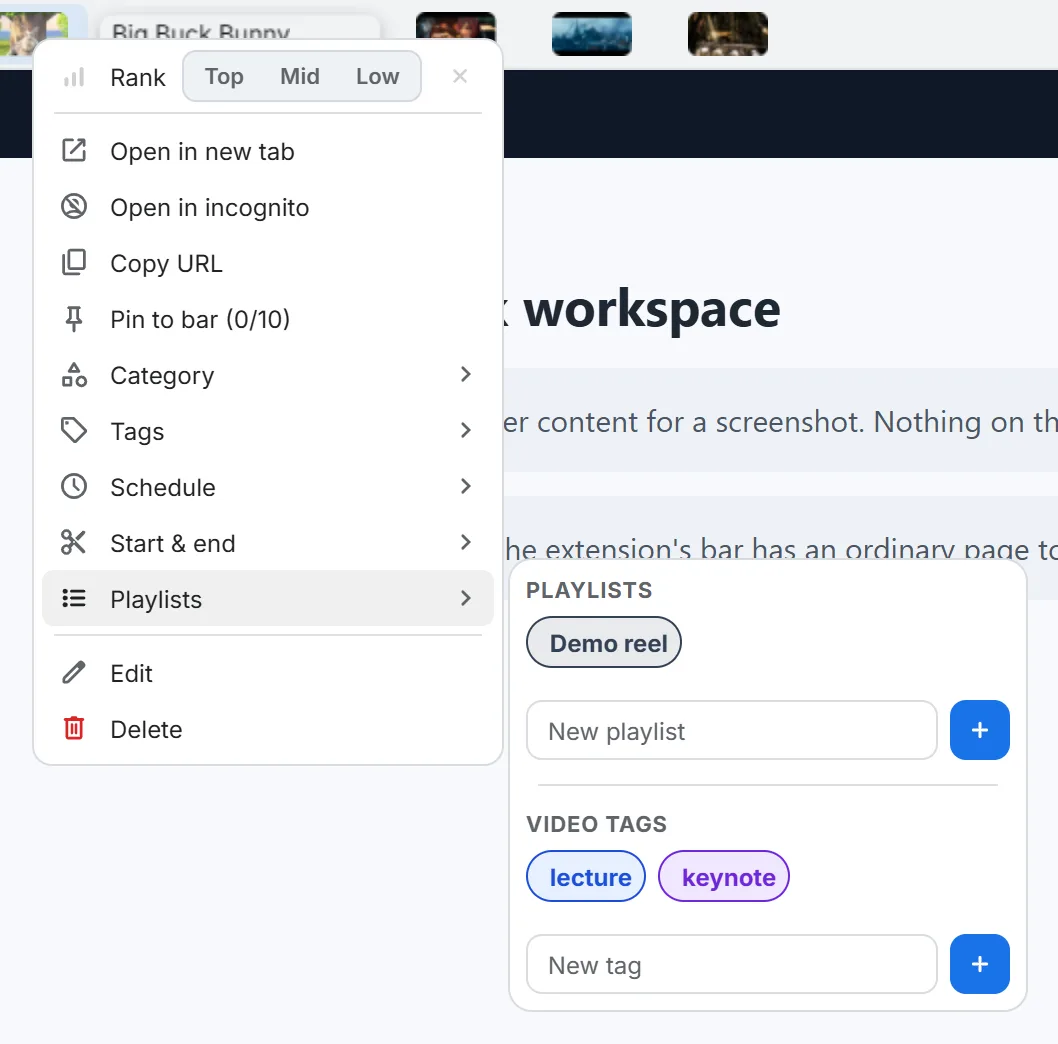
Right-click menu with the Playlists flyout open, showing video tags and playlist assignment.
Right-click a video chip → Playlists.

Free vs Pro

The free plan allows 2 tags and 2 playlists per video; Pro raises both to well beyond what most libraries need. A small note on the card lets you know when a video is at its limit. See every free-vs-Pro limit for the full table.

Try it in your own bar

Second Bookmark Bar is free to install, works entirely on your device by default, and takes about a minute to set up.

Add to Chrome — it's free

From the blog

Still stuck? Contact us — we read every message.